
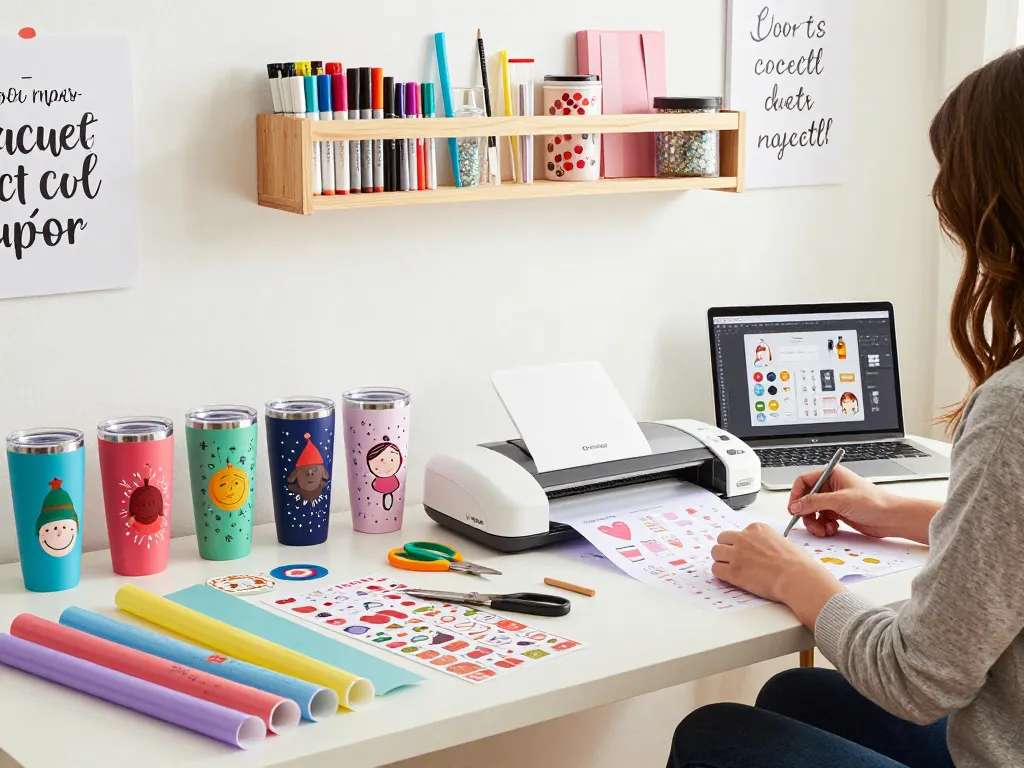
Understanding SVG Files in Crafting
SVG files, or Scalable Vector Graphics, are becoming increasingly essential in the crafting world, particularly among crafters who use cutting machines like Cricut. These files allow for intricate design options and customizable creations, which are crucial in industries ranging from home decor to personalized gifts. For individuals looking to elevate their crafting game, understanding how to utilize SVG files effectively can make all the difference in achieving professional results.
What are SVG Files and Their Uses?
SVG files are vector-based graphics that are defined using XML text files. This format is particularly beneficial for digital crafting as it allows for designs to be scaled without losing resolution, making them ideal for various applications such as tumblers, t-shirts, and decals. Each SVG file consists of paths, shapes, and colors that can be manipulated in design software like Adobe Illustrator or Cricut Design Space. Their versatility allows users to create intricate patterns or simple graphics, making them a popular choice for both amateur and professional crafters alike.
Benefits of Using SVG Files for Tumblers
When it comes to customizing tumblers, SVG files offer numerous benefits:
- Scalability: As mentioned, SVG files maintain their quality regardless of how much they’re resized, ensuring your tumbler designs look crisp and professional.
- Customizability: With SVG files, you can easily alter colors, shapes, and sizes, allowing you to create unique designs that reflect your personal style or brand.
- Wide Compatibility: SVG files are compatible with most cutting machines, including Cricut and Silhouette, making them accessible to a broader audience.
Common Misconceptions about SVG Files
Despite their popularity, there are still misconceptions surrounding SVG files. Some people believe that SVG files are only suitable for professional designers, while others think they are difficult to use. In reality, SVG files are user-friendly, with many online resources available to help beginners grasp the basics. Additionally, tailoring SVG designs for personal projects allows anyone to achieve amazing results, no matter their experience level.
Popular Tumbler Design Trends for 2026
The crafting landscape is ever-evolving, and 2026 is no exception. There are many design trends emerging for tumblers that incorporate SVG files to create eye-catching products.
Seasonal and Holiday Themes Using SVG Files
Seasonal designs are a timeless choice for tumbler customization. As holidays approach, crafters can explore a variety of SVG files themed around specific holidays such as Christmas, Halloween, and Valentine’s Day. These designs can include festive graphics, quotes, and patterns that resonate with the season’s spirit, making them perfect for gifting or personal use.
Customization: Personalizing Your Tumbler with SVGs
Personalization is a significant trend in 2026. Crafters are increasingly using SVG files to create tumblers that feature names, monograms, or personalized messages. This not only enhances the tumbler’s aesthetic but also adds sentimental value, making them popular gifts for friends and family.
Combining SVG Files with Other Crafting Techniques
Incorporating SVG files into mixed media projects, like layering with vinyl or paint, is also trending. This blending of techniques allows for unique designs that stand out. For instance, a crafter can cut an intricate SVG design from vinyl and layer it onto a painted tumbler for a stunning visual effect that showcases both craft skills and creativity.
Best Practices for Downloading SVG Files
Finding the right SVG files can be overwhelming due to the sheer volume of options available. Implementing best practices can significantly streamline the process and help ensure the quality of your projects.
Where to Find Quality SVG Files for Crafting
There are various sources for downloading SVG files, including dedicated graphic design websites, Etsy shops, and crafting communities. It’s crucial to choose platforms known for high-quality designs to avoid compatibility issues and ensure the files work seamlessly with your cutting machine.
Free vs. Premium SVG Files: What You Need to Know
While many free SVG files can be found online, premium files often come with additional benefits such as higher quality, exclusive designs, and commercial use rights. Weighing the pros and cons of each option will help you make an informed choice that aligns with your crafting goals.
Ensuring Compatibility with Cricut and Other Machines
Not all SVG files are created equal. Before downloading, it’s essential to check whether the files are optimized for your specific cutting machine, such as Cricut or Silhouette. High-quality SVG files will come with clear instructions and are typically tested for compatibility, ensuring a smoother crafting experience.
Creating Stunning Tumblers with SVG Files
Once you’ve downloaded the perfect SVG files, the next step is bringing your design to life. Here’s how to do it effectively.
Step-by-Step Guide: From Design to Finished Product
Creating a customized tumbler involves several steps:
- Choose Your Design: Start by selecting or designing your SVG file that fits your tumbler theme.
- Prepare Your Cutting Machine: Load the SVG file into your cutting machine software, adjusting settings as needed based on materials.
- Cut the Design: Execute the cut on appropriate vinyl or other material.
- Apply the Design: Transfer the cut design onto the tumbler using transfer tape, making sure it’s aligned correctly.
- Seal Your Design: If necessary, seal your tumbler with an appropriate coating to protect the design.
Common Challenges and How to Overcome Them
Crafters often face challenges like misaligned designs or materials not adhering properly. To tackle these issues, ensure your work area is clean, and invest in good-quality transfer tape. Learning from mistakes is also part of the crafting journey, so experimenting with different techniques can provide valuable insights.
Innovative Techniques for Advanced Crafters
For those who are more experienced, experimenting with layered SVG designs or using multiple colors can enhance the complexity of your tumbler designs. Advanced crafters might also explore incorporating other materials, such as rhinestones or specialty vinyls, to create textured effects that add a unique flair to their creations.
Future Trends in SVG Files and Crafting
As we look toward the future, innovation in the crafting industry will continue to shape how SVG files are used. Here are some trends to keep an eye on.
Predictions for the Crafting Industry in 2026
Experts predict that the crafting industry will see increased integration of technology in design processes. This includes more robust design software that allows crafters to customize SVG files in real-time, enhancing creativity and efficiency in the crafting process.
Emerging Technologies Influencing SVG Use
Technologies such as augmented reality (AR) and artificial intelligence (AI) are starting to influence how SVG files are created and utilized. AR could allow crafters to visualize their designs on products before committing to cuts, while AI can provide design suggestions based on trends and user preferences.
Expert Insights into the Evolving Crafting Landscape
Industry experts emphasize the importance of continually learning and adapting to new tools and techniques in this rapidly changing environment. Joining crafting groups or forums can provide invaluable insights and inspiration, helping crafters stay ahead of the curve.
What are the best places to find free SVG files?
There are several reputable sites that offer free SVG files, including FreeSVG.org and Creative Fabrica. These platforms provide a variety of designs that cater to different crafting needs, from holiday themes to custom graphics.
How do SVG files differ from other file types?
SVG files are unique in that they are vector-based, meaning they can be resized without losing quality. Unlike bitmap images such as PNG or JPEG, which can become pixelated when enlarged, SVGs maintain their clarity, which is essential for detailed crafting projects.
Can I use SVG files for commercial products?
Many SVG files are available for commercial use, but it’s crucial to review the licensing agreements associated with each design. Some files may be restricted to personal use, while others allow for commercial applications, making it essential to verify before selling any products.
What are the essential tools for working with SVG files?
Working with SVG files typically requires a cutting machine, design software (such as Adobe Illustrator or Cricut Design Space), and crafting tools such as weeding tools and transfer tape. Investing in quality tools can significantly enhance the crafting process and outcome.
How to edit SVG files for personal projects?
SVG files can be edited using graphic design software. Most reputable design programs allow users to tweak dimensions, colors, and shapes, enabling crafters to personalize designs according to their preferences. Whether you’re creating a unique tumbler or a custom gift, editing SVG files can add a personal touch.